
Readiness checks
Each host reports what its node agent actually found on the machine. The checks are on the host’s page under Admin ▸ Fleet and in step 3 of the first-run wizard. Blocking and overrides: Hosts and GPUs.
| Status | Meaning |
|---|---|
| Pass | Fine. |
| Warn | Works, with a note. Never blocks. |
| Fail | Broken. Blocks launches only when marked Blocks launches. |
| Unknown | Not checked yet, or inconclusive. Never blocks. |
| Skipped | Not applicable, or an optional diagnostic not enabled (it names the setting). |
Prepare the host means the host steps for your engine: Docker, Podman or rootless. Each step is safe to repeat.
Container engine
Section titled “Container engine”| Check | Meaning and fix |
|---|---|
runtime_endpoint |
The Docker or Podman socket answers. Failing blocks the host. If DOCKER_HOST and CONTAINER_HOST name different engines, unset one. |
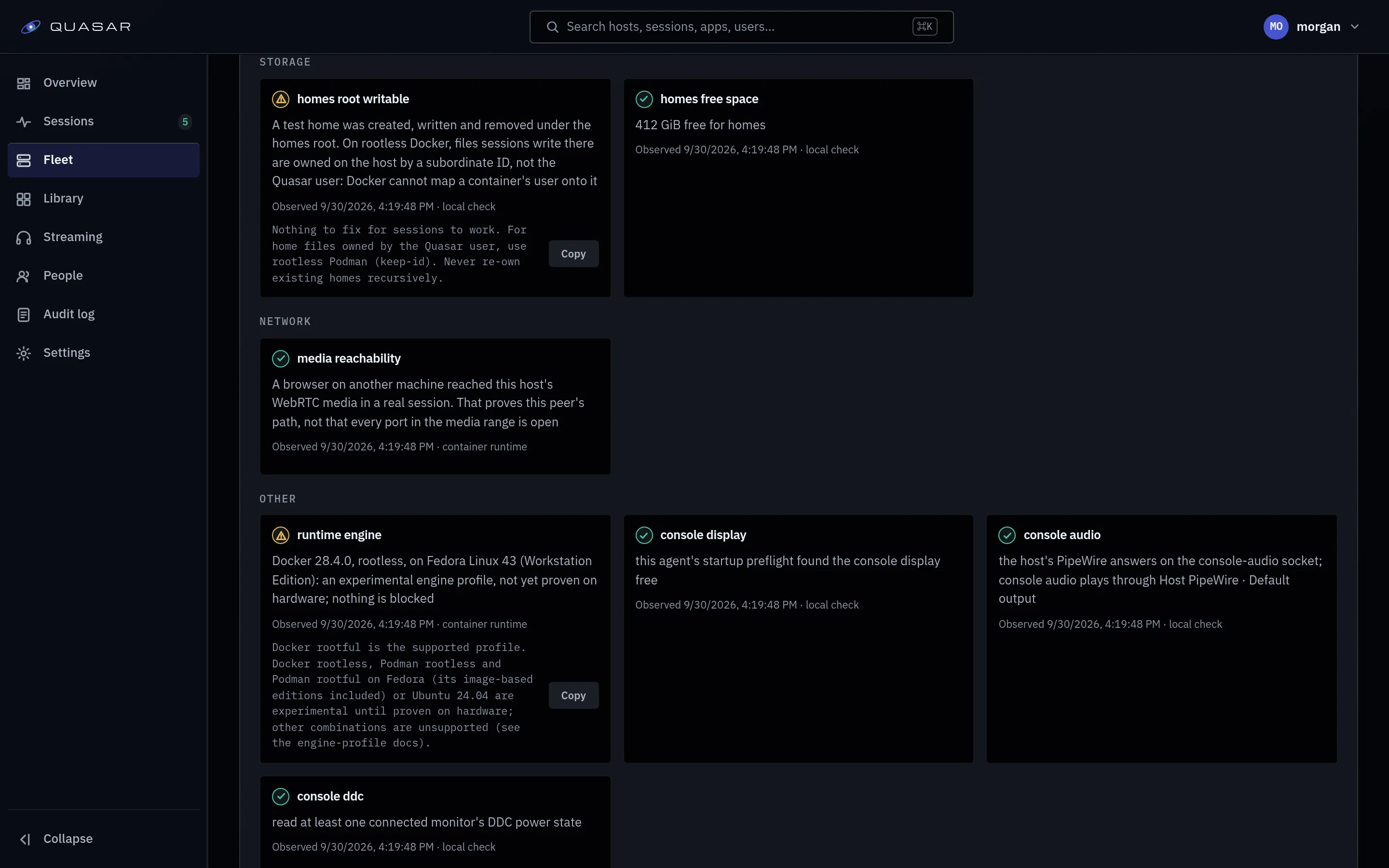
runtime_engine |
The engine and its engine profile. Experimental or unsupported profiles warn only. Podman older than 5.1 reads as unsupported: upgrade it, or updates will fail. |
runtime_cdi |
How NVIDIA GPUs reach containers (CDI or --gpus). If neither works, the host is blocked: follow NVIDIA setup for your engine, then restart it. |
runtime_cdi_gpu<N> |
The same, per NVIDIA GPU on a mixed-vendor host. Blocks only that GPU. |
engine_restart_on_boot |
Whether the engine brought Quasar back at the last reboot. Passes once a reboot proves it; unknown until the host first reboots after install. Fails if the node agent came back much later. Rootful Docker skips it. The fix is host preparation: podman-restart.service (Podman), and lingering plus the user’s engine service (rootless). |
engine_healthchecks |
Podman only. Health checks need a systemd session, or installs time out. Rootless: enable lingering for the quasar account and restart the Podman service. Rootful: use the systemd cgroup manager. |
| Check | Meaning and fix |
|---|---|
uinput |
The agent can open /dev/uinput for writing. Rootless: install the device rules. |
input_probe |
The agent creates a virtual device and opens it. Failing blocks the host. Rootless: install the device rules. Rootful: check /dev/uinput and /dev/input reach the agent. |
Storage
Section titled “Storage”| Check | Meaning and fix |
|---|---|
homes_root_writable |
A test home can be written. Failing blocks launches that need a home. On rootless Docker it warns: session files are owned by a subordinate ID. Sessions still work; use rootless Podman if you want files owned by the Quasar account. Never re-own existing homes recursively (Moving to rootless). |
homes_free_space |
Warns below 5 GiB free (QUASAR_HOMES_FREE_SPACE_FLOOR_GIB); fails when full. |
Network
Section titled “Network”media_reachability comes from real sessions from another machine, and never blocks.
- Unknown until a remote browser has tried a session.
- Pass once a remote browser’s media reached the host (that browser’s path only).
- Fail when a remote browser’s connection failed with no checks arriving. Open the media port range: Ports and endpoints.
GPU fault messages
Section titled “GPU fault messages”xid_visibility: whether the agent can read GPU fault messages from the kernel
log for session traces. Optional and off by default: see GPU fault messages in
session traces,
or read dmesg yourself.
Console mode
Section titled “Console mode”The console checks (console_card, console_input, console_sound,
console_terminal, console_udev, console_ddc) are skipped while console mode is
off, and never block streaming. See Console mode.
Most fixes end the same way: run host preparation with --console, then turn console
mode off and on so the agent is re-created with the devices.
| Failure | Fix |
|---|---|
| A card, input, sound or terminal node can’t be opened | Install the console device rules (prepare-host.sh --console). Replug an input device it missed. |
| Another program holds the display | Stop the desktop or login screen on that output, or pick another. On an NVIDIA or rootless host a streamed game can hold it too: end that session (which hosts). |
| A listed input device is not on this host | Plug it in, or edit Input devices. Numbers can change when devices are replugged. |
| No sound device | Check the host’s sound driver is loaded. Without one the console desktop has no sound. |
tty8 is another session’s terminal |
Stop the login prompt on tty8 (host preparation masks getty@tty8). |
| No udev data on the host | The host must run systemd-udevd. |
console_udev unknown |
The agent predates the check. Turn console mode off and on. |
ddcutil missing, or no i2c bus for a connector |
Every connected display counts as on. Check /dev/i2c-* exists (the console device rules grant it on rootless) and a monitor is connected. On rootless, a /dev/i2c-N that is a plain file rather than a device is skipped and named in the recovery actor’s log: remove it, then toggle console mode off and on. |
Owner conflict
Section titled “Owner conflict”owner_conflict: a Quasar-like container not created by this install (usually an
old Compose stack) is in the way. Updates to that machine are blocked until you
remove it and whatever re-creates it.