Skip to content

First-run setup

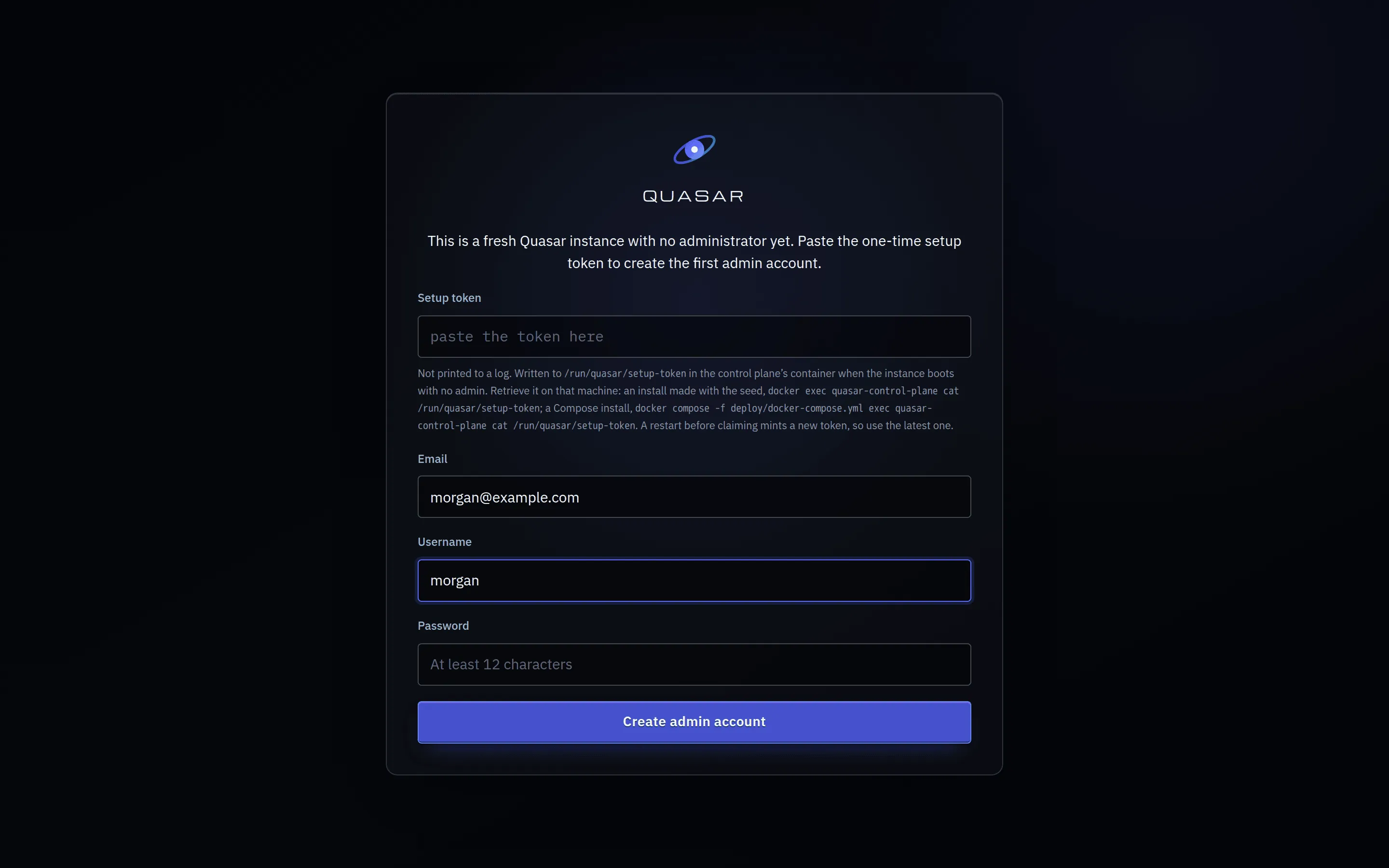
The first time you open Quasar it sends you to /setup instead of a login page, because there is nobody to log in as yet.

The Quasar first-run setup wizard, on the claim step
Step 1 of the five-step first-run wizard, on an instance nobody has claimed yet.

The first admin account is created here, and it is protected by a one-time token so that whoever reaches the page first cannot simply make themselves the administrator of your machine.

On first boot, if no admin exists, the control plane writes a random token to a file inside the container. It is never logged and never printed. Read it with:

Terminal window
docker compose -f deploy/docker-compose.yml exec quasar-control-plane \
cat /run/quasar/setup-token

Paste that into the wizard along with the email, username and password you want for the admin account.

The trust model here is simple: to claim the instance you must be able to run a command on the host. If you can do that, you already own the machine.

If you would rather provision the admin from configuration, set all three of these in deploy/.env before the first boot:

Terminal window
BOOTSTRAP_ADMIN_EMAIL=you@example.com
BOOTSTRAP_ADMIN_USERNAME=you
BOOTSTRAP_ADMIN_PASSWORD=a-real-password

The control plane creates that account at startup. It is idempotent and does nothing once an admin exists. The Claim step is then skipped.

There is no “first person to register becomes admin” path, by design. The registration endpoint can only ever create ordinary users.

Set the instance name and choose how new accounts are created:

Mode Behaviour
closed Nobody can register. You create accounts. This is the default.
invite_only Registration works only with a valid invite code.
open Anyone who can reach the page can create an account.

You can change this later under Admin, People, Invites.

The public URL and TLS notes on this step are informational. They describe what the browser is currently seeing, they do not configure anything.

A check of what each node agent has actually reported, as opposed to what the configuration claims, plus the managed-home root each host will use.

It tells you whether the agent registered at all, whether GPUs were found, and whether an encoder was genuinely detected on each one. Known misconfigurations are named directly: no encoder registered, driver components missing, /dev/uinput not writable, input device rules absent.

Nothing here blocks you. A failing check warns and links you to Admin, Fleet, Hosts. For storage, the wizard can keep the agent-reported root or select one of its subdirectories. Moving to an entirely different root requires changing QUASAR_HOME_ROOT and redeploying so the bind mount moves too.

The host and GPU check step of the setup wizard, showing one host with a passing and a failing check
The host and GPU check. This host is online and reports H.264, but it has no storage root, so sessions placed on it could not start.

Turn on one or more library providers from the image catalog. Steam is the provider currently shipped by the project.

Enabling one triggers a chain on the server: its container image is installed on your hosts, a runtime preset is created from the image manifest, a launcher app is added to the catalog, and an entitlement is created according to the visibility you choose.

You choose who can see it: everyone, only you, or decide later.

The published Steam image is public. If installation fails, check the image job under Admin, Fleet, Jobs and see Images rather than assuming registry access is required.

The last step contains optional settings that can all be changed later under Admin, Settings:

  • Add a SteamGridDB API key for cover artwork.
  • Enable or disable browser microphone capture.
  • Start the first Steam library scan when discovery is enabled.
  • Back up deploy/.env, which contains the irreplaceable QUASAR_SECRET_KEY.

The scan is best-effort. A failed or slow scan does not trap you in the wizard; you can run it later from the administration area.

You land in the admin area. The sensible order from here:

  1. Check your install actually works end to end.
  2. Add apps beyond whatever library discovery gave you.
  3. Invite people, if it is not just you.

The wizard is resumable. If you close the tab partway through, you come back to where you were.