
Apps and runtime presets
An app is a catalog entry a user can launch. A runtime preset is a container specification several apps can share.
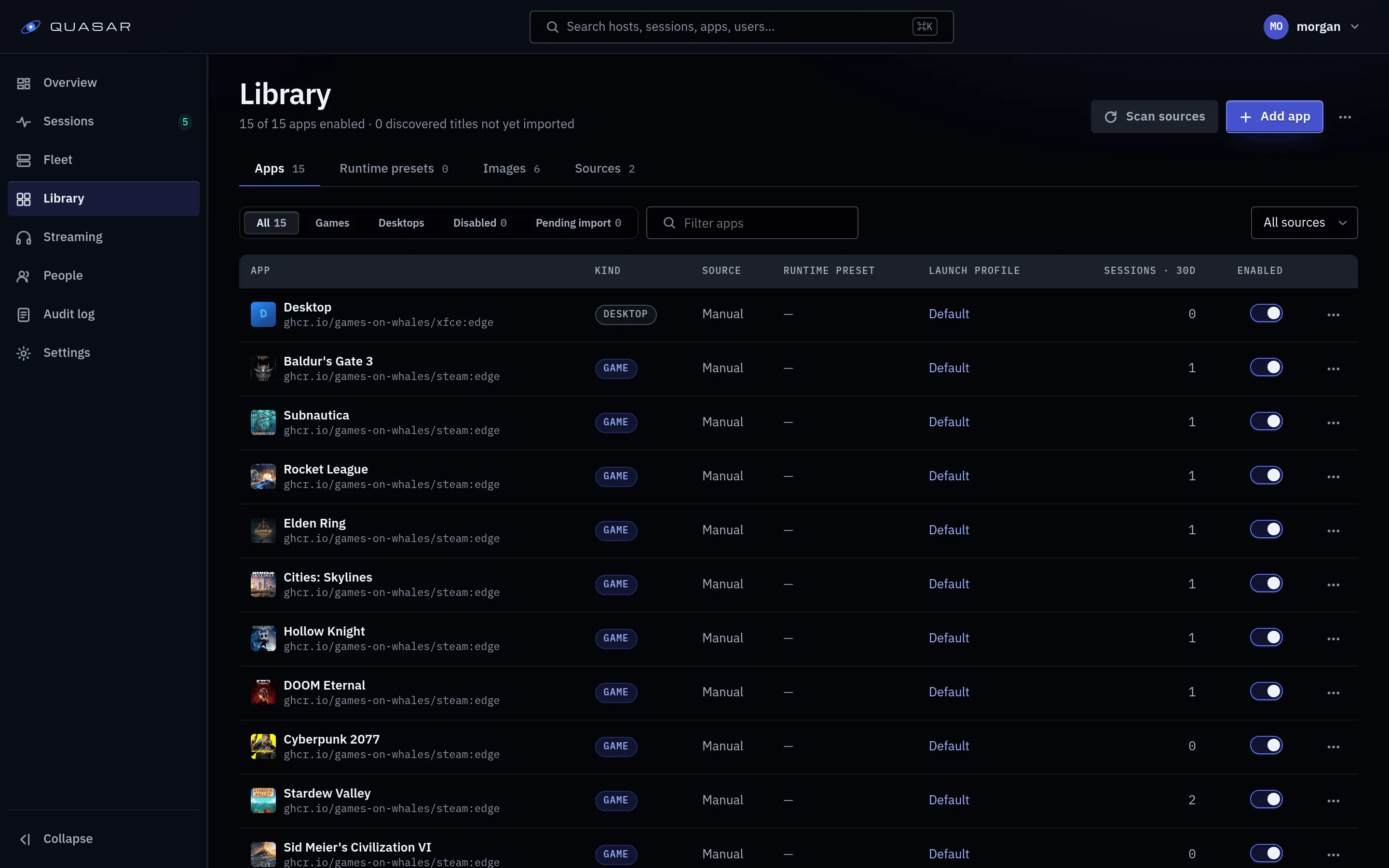
Creating an app
Section titled “Creating an app”- Install the image under Images. This creates the runtime preset.
- Create the app and point it at that preset.
- Set the kind: game, desktop or launcher (drives users’ filters).
- Optionally restrict which quality tiers it may launch at.
- Grant access.
Access
Section titled “Access”A user sees and can launch an app only if granted it: to everyone, or to named users. The server enforces this. Library discovery grants its apps to everyone.
Removing a user’s access also stops any session they have running on that app. Access lost another way, such as a discovered game being uninstalled, ends the session within about 30 seconds.
Placement
Section titled “Placement”The Placement tab sets which hosts may start new sessions of the app. It saves separately from the app’s other changes.
- Every eligible host (default): any host that can run it, including new ones.
- Only these hosts: only the hosts you tick.
The tab shows each host as selected, prepared and ready; selected hosts pull the image ahead of the first launch, and a failed preparation can be retried. A game tile from library discovery takes its placement from its parent app.
Placement never moves an existing home. A user whose home is on a host you untick can’t launch the app until that host is allowed again or the home claim is released.
Runtime preset settings that matter
Section titled “Runtime preset settings that matter”| Setting | Default | Notes |
|---|---|---|
| Network | none | Set network: bridge per app for anything that needs the internet, such as Steam. Without it Steam exits and the session fails with a misleading media-path error. |
| GPU access | per preset | Games need it. |
| Environment | none | Passed into the container. Quasar injects QUASAR_STREAM_WIDTH, QUASAR_STREAM_HEIGHT, QUASAR_STREAM_FPS and GAMESCOPE_* equivalents so the app renders at the session’s size; a value you set wins. |
| Exit policy | fail |
fail ends the session when the app exits. keep holds it open, for apps that come and go. |
Shared storage
Section titled “Shared storage”Each user gets a persistent home per app. Only one session per user per app can run at a time, so saves aren’t corrupted.
Quality tiers per app
Section titled “Quality tiers per app”Restricting an app’s tiers narrows the options. The session’s tier is still resolved at launch against what the host can encode and the client can decode.
Artwork
Section titled “Artwork”With a SteamGridDB key set under Admin ▸ Library ▸ Sources, Quasar fetches artwork for catalog entries; the artwork job fills in anything missed. Artwork you chose yourself is never replaced. Without a key, tiles show gradients.