
Sessions and audit log
Admin ▸ Sessions lists live and recent sessions.
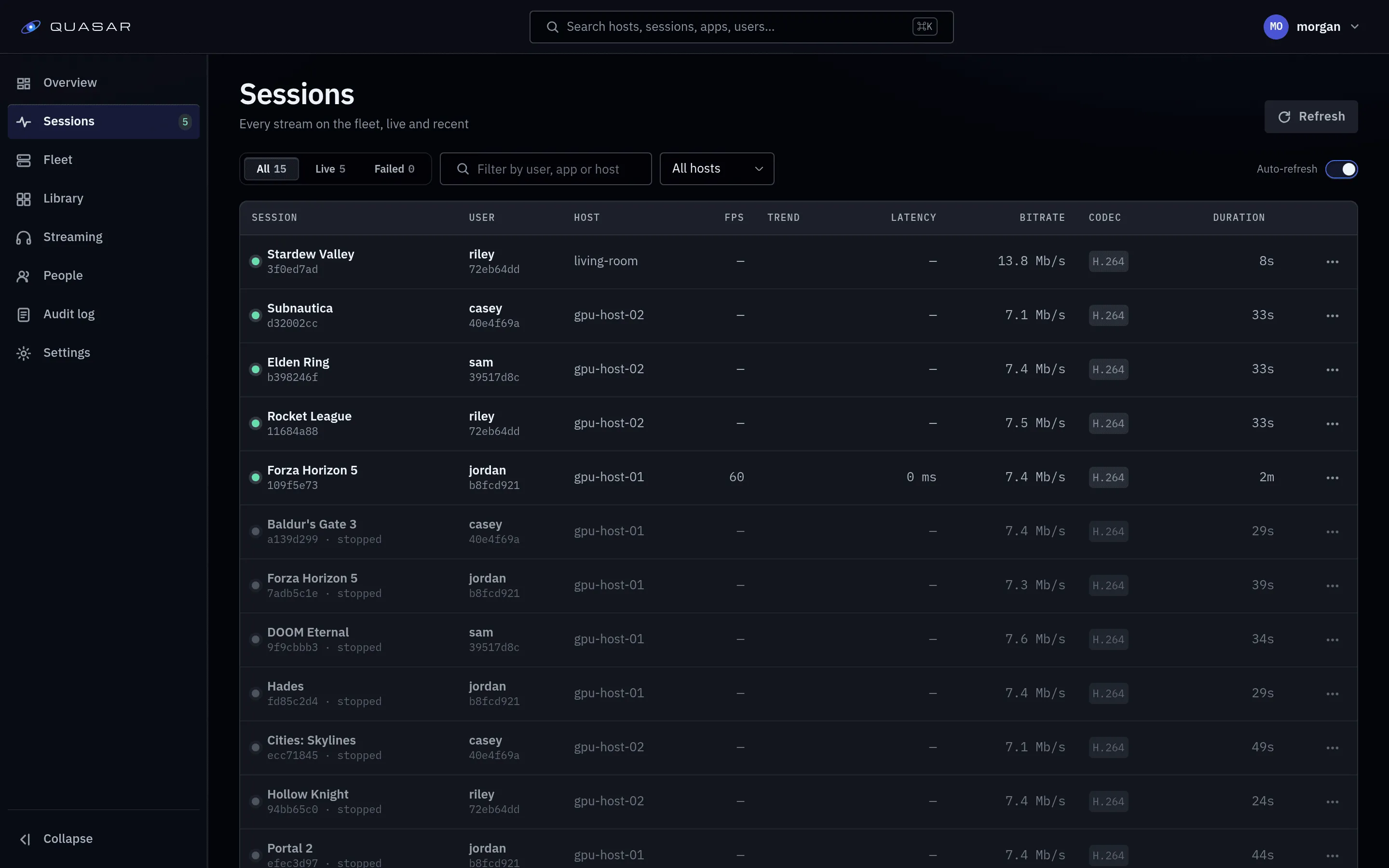
Session states
Section titled “Session states”| State | Meaning |
|---|---|
assigned |
A host was chosen. Nothing started yet. |
starting |
Container and pipeline coming up. |
running |
Media is flowing. |
stopped |
Ended cleanly. |
failed |
Ended badly. The detail says why. |
The detail field holds the substate, such as host_lost or building pipeline.
Session detail
Section titled “Session detail”Opening a session shows the host, user, codec, resolution, frame rate, and time series:
| Series | What it tells you |
|---|---|
encoder.encode_ms |
GPU time per frame. Above about 16 ms at 60 fps, the encoder is the bottleneck. |
encoder.fps |
What the host actually produces. |
abr.setpoint_kbps |
The bitrate the controller settled on. |
transport.rtt_ms |
Round trip time. |
transport.packets_lost |
Cumulative loss. |
client.present_interval_sd_ms |
Client frame presentation consistency. This matches perceived stutter. |
Host series describe what was produced; client series describe what the user saw.
Diagnostic bundles
Section titled “Diagnostic bundles”A session can produce a diagnostic bundle: a five-minute window (by default) of metrics, events, host/browser clock alignment and an automated verdict. Attach it to bug reports. See Diagnostics.
Annotations
Section titled “Annotations”Drop a note on a session’s timeline to mark a change next to its effect.
Ending a session
Section titled “Ending a session”You can stop any session here. The user sees it end.
What happens when a host disappears
Section titled “What happens when a host disappears”A host that stops heartbeating leaves its sessions lost. They are not moved to another host; the user relaunches.
Retention
Section titled “Retention”While a session runs, its metrics keep a rolling hour; when it ends, the
telemetry is frozen and kept 24 hours by default
(QUASAR_TELEMETRY_POSTMORTEM_RETENTION). To keep a record of a problem, take
a diagnostic bundle while it happens.
The audit log
Section titled “The audit log”Admin ▸ Audit log records admin actions: settings, users and roles, apps and app access, invites, host actions.