
The Steam library
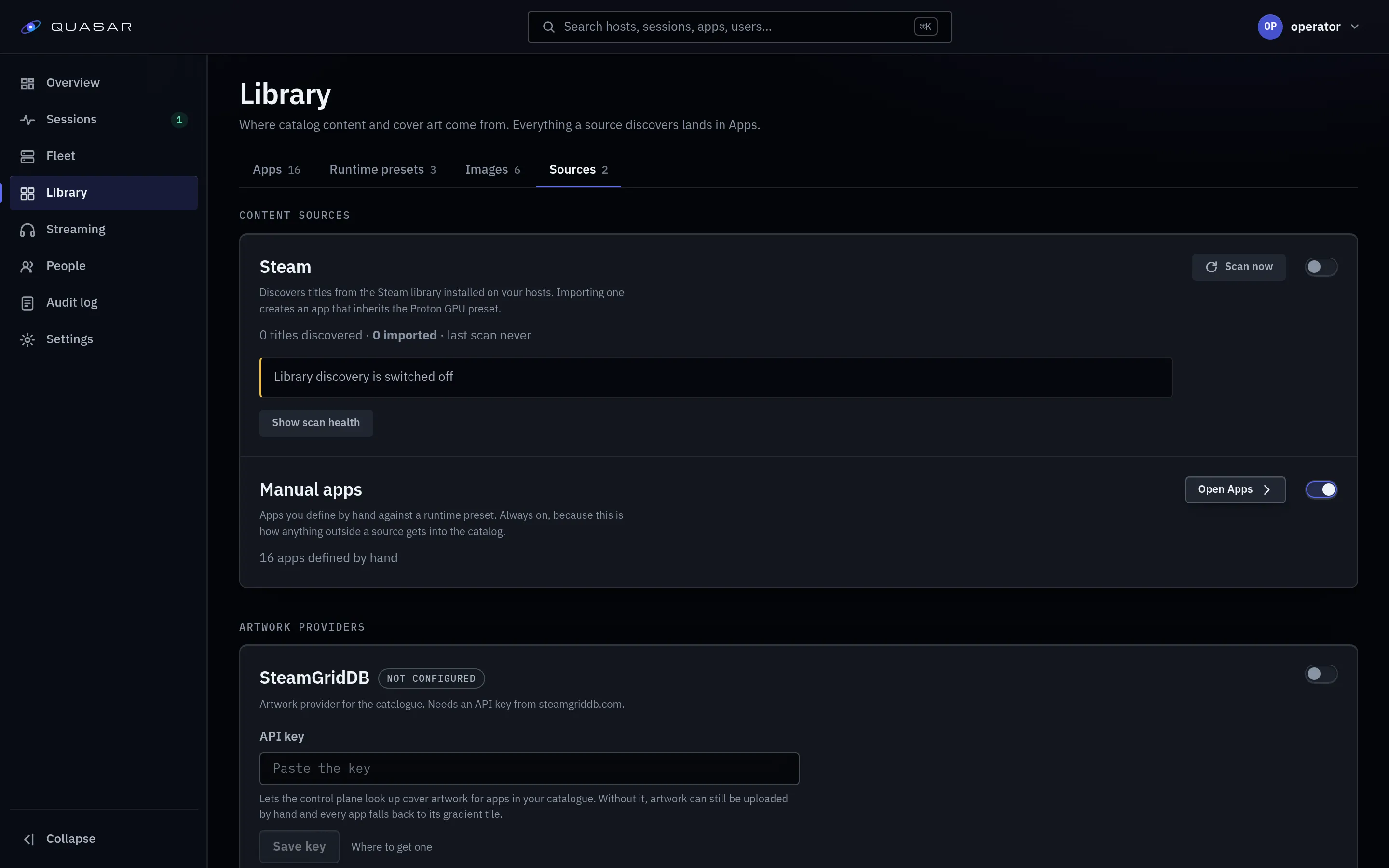
Steam library discovery turns games installed inside your Steam container into their own launchable tiles.
What discovery finds
Section titled “What discovery finds”It finds installed games in the Steam container’s library folder. Owned but uninstalled games don’t appear; install them through the Steam launcher app and they show up on the next scan.
It does not:
- check that a launch got past Steam’s own interface,
- find games on a second Steam library disk,
- support more than one Steam account per user,
- switch games inside a live session.
Turning it on
Section titled “Turning it on”- Enable Steam library discovery under Admin ▸ Settings.
- Wait for Quasar to install the Steam image and create its launcher app.
- Open the launcher, sign in to Steam and install a game.
- Scan under Admin ▸ Library ▸ Sources, or wait for the scheduled scan.
The launcher is available to everyone unless an admin chose narrower access for it. Installed games appear as separate tiles; see Set up your game library.
Requirements
Section titled “Requirements”- Network access. The runtime preset needs
network: bridge(the shipped preset sets it). Without it Steam exits and the session fails with a misleading media-path error. - A managed-home root on each host, set under Admin ▸ Fleet ▸ Hosts.
- Installed games. Open the Steam launcher app, log in, install something.
Scanning
Section titled “Scanning”The scan interval is how often scans run: every 360 minutes (6h) by default.
Change it under Admin ▸ Settings, Libraries, Scan interval; it applies within
seconds, no restart. Admin ▸ Fleet ▸ Jobs shows the same interval for the
Steam library discovery job and cannot set a different one. Set
QUASAR_LIBRARY_SCAN_INTERVAL as a Go duration such as 360m or 6h to
override it (the job then shows as locked); a bare number fails startup, and 0
disables discovery entirely regardless of the admin master switch.
Admin ▸ Library ▸ Sources can scan now.
An uninstalled game leaves the library once a second scan also no longer finds it, about two scan intervals after the first scan that missed it. One scan is not enough, so a library that is briefly unreachable costs nobody their games. Scan now cannot confirm a miss until one scan interval has passed since it.
Steam-derived apps
Section titled “Steam-derived apps”Each game becomes a normal app using the Steam image, launched at that title. App access, quality tiers and artwork work as for any app. Updating the Steam image affects all of them.
Only Steam, for now
Section titled “Only Steam, for now”Steam is the only library provider. Add anything else (Heroic, RomM and so on) as an app by hand.