
Images
Every app runs in a container image. Admin, Library, Images installs images onto your hosts and keeps them up to date, pinned to exact versions so every host runs the same bits.
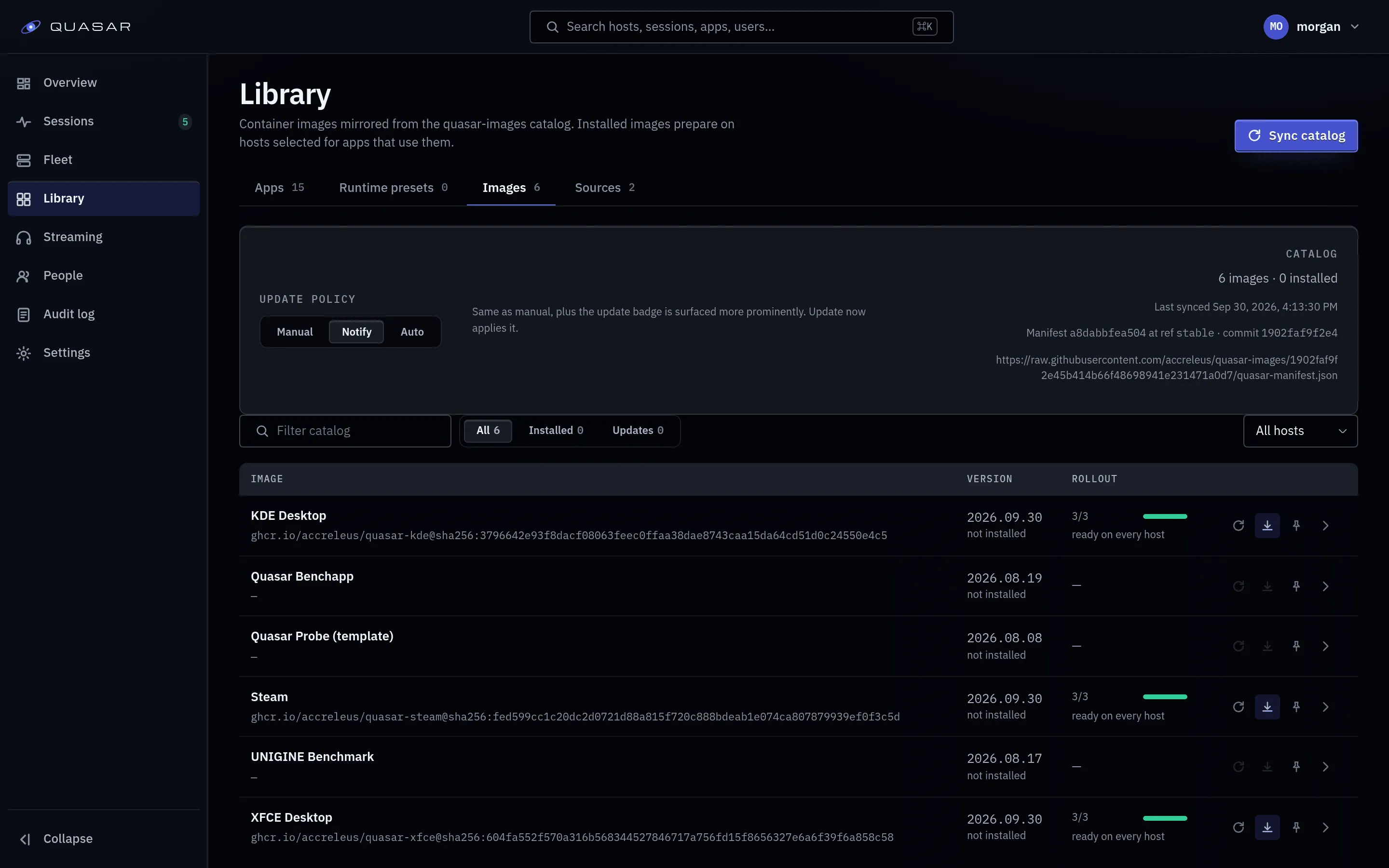
Where images come from
Section titled “Where images come from”The list comes from the catalog published by the quasar-images project. Each
entry is one of:
- Prebuilt: pulled from a registry. The tag is resolved to a digest at sync time, so a moving tag can’t change what runs.
- Template: a Dockerfile built on each host from a pinned commit, only when you ask.
An operator running a fork or mirror of the catalog points
QUASAR_IMAGE_CATALOG_REPO (and, if the path changed, QUASAR_IMAGE_CATALOG_PATH)
at it on the control plane.
Installing an image
Section titled “Installing an image”- Open Admin ▸ Library ▸ Images and choose an image.
- Press Install and check the progress for each host.
- When installation succeeds, create an app using the new runtime preset.
Each host pulls or builds its own copy. The runtime preset stores the image, environment, GPU access and mounts for apps that use it.
Where images get placed
Section titled “Where images get placed”An image is prepared on the hosts its apps may launch on, per each app’s Placement tab. By default that’s every eligible host.
With Pull on first launch, a host prepares the image at its first launch there instead. The player sees the loading screen meanwhile, which can take minutes for a large image. A failure fails only that launch. Use it for large, rarely used images.
Removing cached versions
Section titled “Removing cached versions”Uninstalling an image removes Quasar’s record of it; its apps stop launching until it’s reinstalled. Nothing is deleted from the hosts.
On the image’s page, Cached versions lists each version per host. Remove this cached version deletes it from that host. It’s refused while anything still needs that version: an app, any container (even stopped), pending work, the last version that prepared successfully, or an incomplete host inventory. The page shows Removal confirmed by the host inventory when it’s done. Managed homes are never touched.
Updates
Section titled “Updates”Set the policy under Admin, Settings:
| Policy | Behaviour |
|---|---|
notify |
Default. Tells you an update exists and waits. |
manual |
You update when you choose. |
auto |
Updates apply as they appear. |
Pin an image to hold it at its current version. Updates take effect at the next launch, never in a running session.
Registry allowlist
Section titled “Registry allowlist”QUASAR_IMAGE_REGISTRY_HOSTS (default ghcr.io) limits which registries Quasar
resolves digests and artwork from. Widen it only for your own registry.
If an install stalls
Section titled “If an install stalls”Open Admin, Fleet, Jobs and check the image job’s latest run. An unresolved digest usually means the registry is unreachable, not on the allowlist, needs credentials, or the image reference is malformed.
Using your own image
Section titled “Using your own image”Every app image must derive from Quasar’s graphics layer, which supplies GPU access and the Wayland pieces the compositor needs. An arbitrary Docker Hub image won’t work. Images also carry contract labels, validated on entry. To build images in the family, see GPU and remote workflows.