
Quality profiles
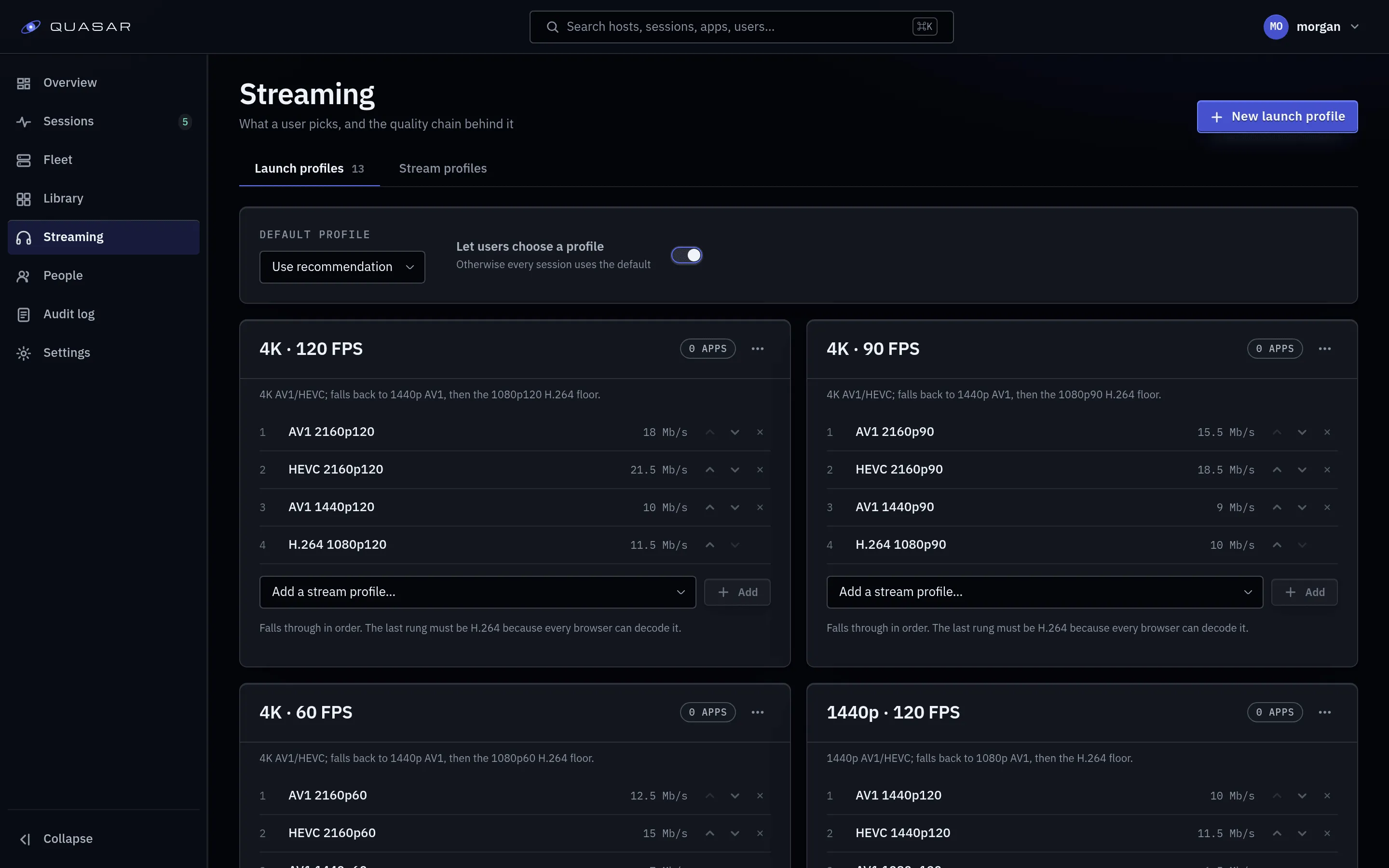
- A stream profile is one encode rung: codec, resolution, frame rate, bitrate, and the thresholds a client must meet. Users never see these.
- A launch profile is an ordered list of stream profiles, best first. Users pick these (for example “1080p60”).
How a session resolves
Section titled “How a session resolves”At launch the server takes the first rung in the chosen launch profile that:
- the host can encode,
- the client can decode (measured at login),
- has not failed for this client before,
- has hardware encode available, if the rung requires it.
See Codecs for details.
Every launch profile must contain at least one H.264 rung, so a launch always has something playable. The server rejects a profile without one.
What ships by default
Section titled “What ships by default”Twelve launch profiles: 720p, 1080p, 1440p and 4K at 60, 90 and 120 fps. 1080p60 is the recommended default.
Each tier’s rungs go AV1, then HEVC, then H.264:
Browser decode support is measured per device. See Codecs for compatibility and bitrate targets; an AV1 or HEVC rung is used only when the host and client support it.
When to change profiles
Section titled “When to change profiles”Keep the defaults unless you need to:
- Cap quality: remove high tiers, or restrict apps to specific tiers, so one user can’t take a whole GPU at 4K120.
- Suit your network: lower bitrates for a constrained link.
Rungs your GPU can’t encode are skipped automatically; no need to remove them.
Instance default and user override
Section titled “Instance default and user override”Under Admin you set the instance default launch profile and whether users may override it. With overrides on, a user’s own default (account page) wins.
What the user sees
Section titled “What the user sees”A tier name and whether it suits their device. The codec, bitrate and rungs are in the session detail under Admin ▸ Sessions.