
Set up your game library
Start with Steam
Section titled “Start with Steam”- During first-run setup, enable Steam and choose who can use it. You can change this later under Library sources.
- Open the Steam launcher in your library, sign in to Steam and install a game on the GPU host.
- After the next library scan, installed games appear as their own tiles. Select one and press Play.
Allow disk space for the games you install. Saves and user files stay in persistent homes. A Steam library scan discovers installed games; it does not install them for you.
Your library is at /app. It shows only the apps you have been granted.
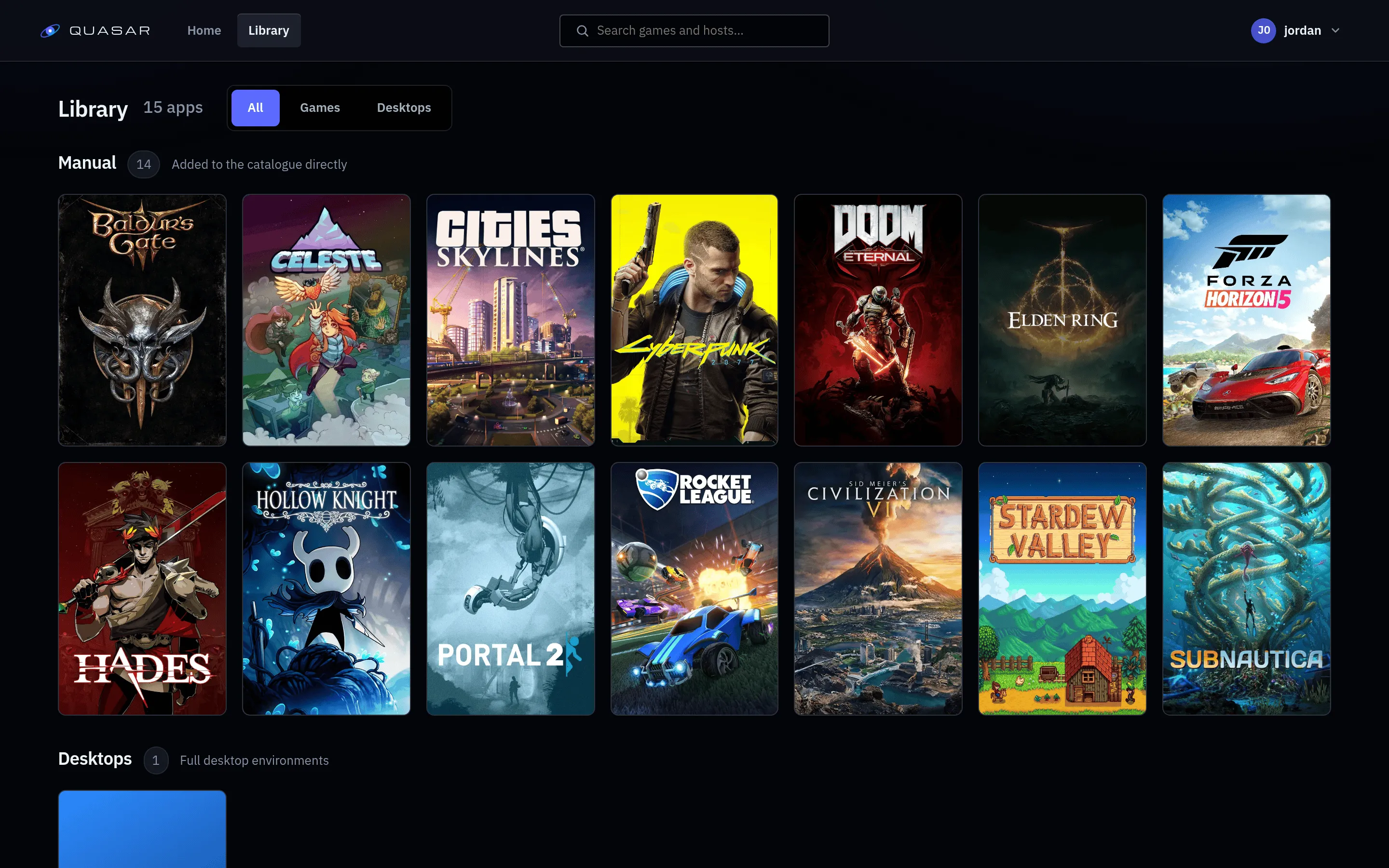
What is in here
Section titled “What is in here”You can filter by kind:
- Games, launched directly.
- Desktops, a full desktop session.
- Launchers, a storefront client such as Steam.
Cover art comes from SteamGridDB if your administrator set a key; otherwise tiles are plain gradients.
Favourites
Section titled “Favourites”The heart on a tile pins it to the top.
Choosing quality
Section titled “Choosing quality”Pick a quality tier before launch, such as 1080p60 or 1440p120. Twelve tiers ship, from 720p60 to 4K120. Start with 1080p60.
A tier is a preference. The server picks the best setting that:
- your GPU host can encode,
- your browser can decode (measured at login),
- hasn’t failed for you before.
Every tier falls back to H.264, so asking for more than the host can do gets you the best it can manage, not an error.
Why something might not launch
Section titled “Why something might not launch”| What you see | What it means |
|---|---|
| No host available | No GPU host is online. Tell your administrator. |
| Capacity exhausted | Hosts are full. Try again later. |
| Session limit reached | You are at your account’s session limit. |
| Already running | You already have this app running. One at a time, to protect your saves. |
| No app access | You do not have access. Ask your administrator. |
If your administrator has enabled the Steam library, installed Steam games appear as their own tiles. Only installed games appear: install one through the Steam launcher app and it shows up on the next scan.